

Frequently Asked Questions
- About the services in general
- Information about connecting with the service
- About settings
- About the use of the internet
About the services in general
Q What is the difference between the SSID “FREE_Wi-Fi_and_TOKYO” and the SSID “TOKYO_FREE_Wi-Fi”?
The SSID “TOKYO_FREE_Wi-Fi” utilizes an international wireless LAN roaming framework, providing high-level security through encryption of wireless communications and automatic connection to compatible Wi-Fi spots.
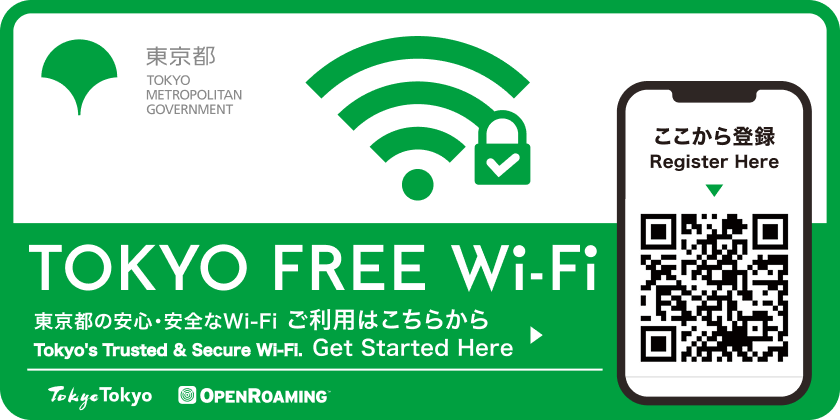
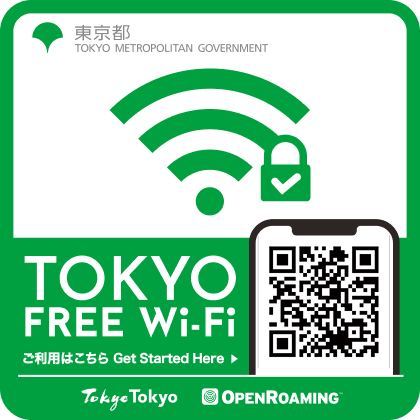
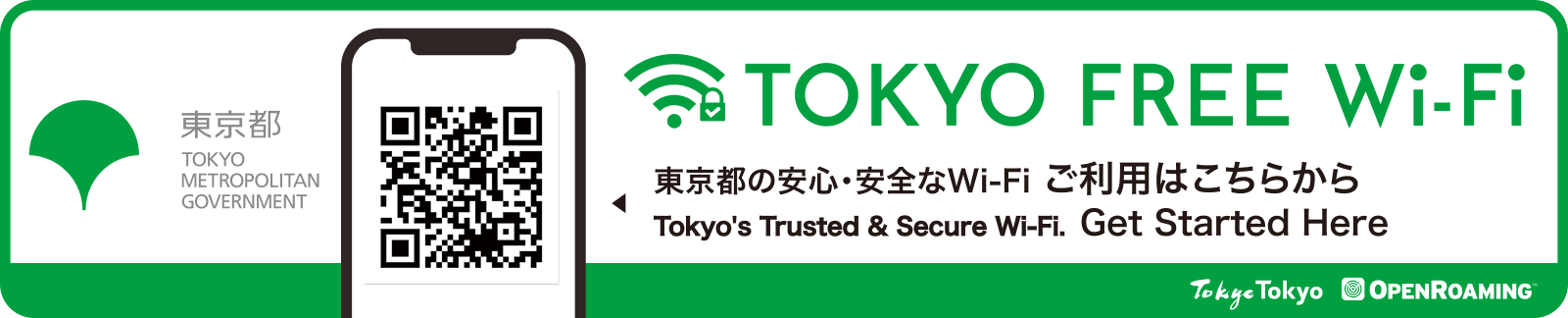
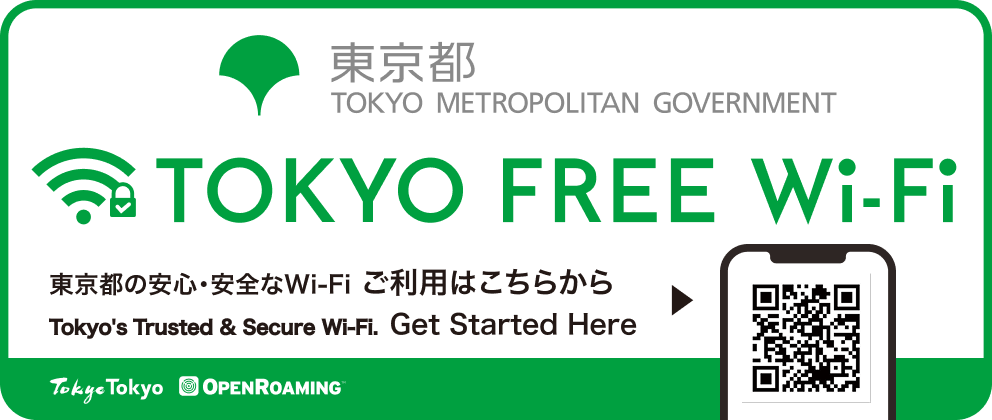
Compatible spots display stickers as indicators. (Please note that some facilities may not have stickers posted.)
Q Is there a usage fee?
Free of charge.
Please note that if you access the setup website or download setup files using your mobile data, any resulting data charges will be borne by the user.
Q Are there any time limits when using the service?
No, there are no limits on the amount of time that you can use the service.
Q How many languages is the service offered in?
The service is offered in the following four languages (with two types of Chinese language offered).
Japanese, English, Chinese (Traditional), Chinese (Simplified), Korean
Q What is OpenRoaming?
This is an international Wi-Fi roaming federation operated by the Wireless Broadband Alliance (WBA), an industry association of public Wi-Fi service providers.
Wi-Fi networks that support OpenRoaming encrypt the wireless communication section and automatically connect to compatible access points. This mechanism helps avoid the risks of eavesdropping as well as being redirected to impersonating (rogue) access points.
Q Can I use it on my PC or tablet?
You can also use it on your PC or tablet.Please check here for the Terms of Use.
Q About the Terms of Use
| OS | Browser | Notes |
|---|---|---|
| iOS/iPadOS 12 and 14 or later | Safari | |
| Android 10 or later | Chrome | Android 9 or earlier (It can be used by making dedicated settings. The setting method is explained on the profile download screen when registration is completed.) *Devices with Android 10 or earlier may not be able to use some OpenRoaming spots overseas. |
| Windows 11 (Home and Pro editions) |
Chrome | |
| macOS 11 or later | Safari |
・Other notes: An internet connection is required at the time of user registration.
※ Please note that if you access the setup website or download setup files using your mobile data, any resulting data charges will be borne by the user.
※ We recommend using the latest stable versions of both your operating system and web browser.
Information about connecting with the service
Q where is it available?
Available locations can be checked on the Wi-Fi spot area map.
In addition, stickers are displayed near the locations where this service is available.
https://wi-fi.metro.tokyo.lg.jp/en/list/
Q You are near a sticker, but you can't connect to TOKYO FREE Wi-Fi.
If you are near a sticker at a Wi-Fi spot but cannot connect to the Wi-Fi, it means that your device is not detecting the signal.
In some cases, turning your device's Wi-Fi setting OFF once and then turning it back ON may resolve the issue.
※ This may vary depending on the device.
Q Will I be able to use all OpenRoaming-compatible hotspots if I set up TOKYO FREE Wi-Fi?
All OpenRoaming-compatible spots provided at metropolitan facilities, public telephone boxes, and similar locations are available for use.
In addition, this service can be used not only in Tokyo but also at OpenRoaming-compatible spots both domestically and internationally.
About settings
Q What do I need to do to use it?
For the initial use only, identity verification is performed using either a Google account, Apple ID, or LINE ID, and the configuration information required for connection must be installed on your device.
Q If you don't want to automatically connect to the new TOKYO FREE Wi-Fi.
・For Android: Settings > Wi-Fi > Tap the SSID from saved networks and turn off ""Automatic connection"".
・For iOS: In an environment where the SSID can be received, tap Settings > Wi-Fi > SSID ""ⓘ"" to turn off automatic connection.
Q If you don't want to automatically connect to SSID "START_TOKYO_Wi-Fi".
・For Android: Settings > Wi-Fi > Tap the SSID from saved networks and turn off ""Automatic connection"".
・For iOS: In an environment where the SSID can be received, tap Settings > Wi-Fi > SSID ""ⓘ"" to turn off automatic connection.
Q What procedures are required when changing models?
Please perform the user registration procedure again and install the profile.
Q I don't think I will be to connect to the configuration site as I don't have an Internet connection.
You can complete registration by connecting to the SSID for new users (START_TOKYO_Wi-Fi).
Q If I verify my identity, will my registration be made public?
No personal information will be published.
To use this service, only the information necessary for the service will be shared between Google, Apple, LINE, and the service provider, Wire and Wireless Inc.
Q On iPhone, I can't disable OpenRoaming settings even after deleting the profile.
Try restarting your device. Also, on older versions of iOS, in rare cases, the settings may not be disabled due to conflicts with other OpenRoaming settings. Please update to the latest OS version and try again.
Q How do I end the use of a TOKYO FREE Wi-Fi hotspot?
●iOS/iPadOS
Go to Settings > General > VPN & Device Management > TOKYO FREE Wi-Fi, and tap Delete Profile to delete the profile and exit.
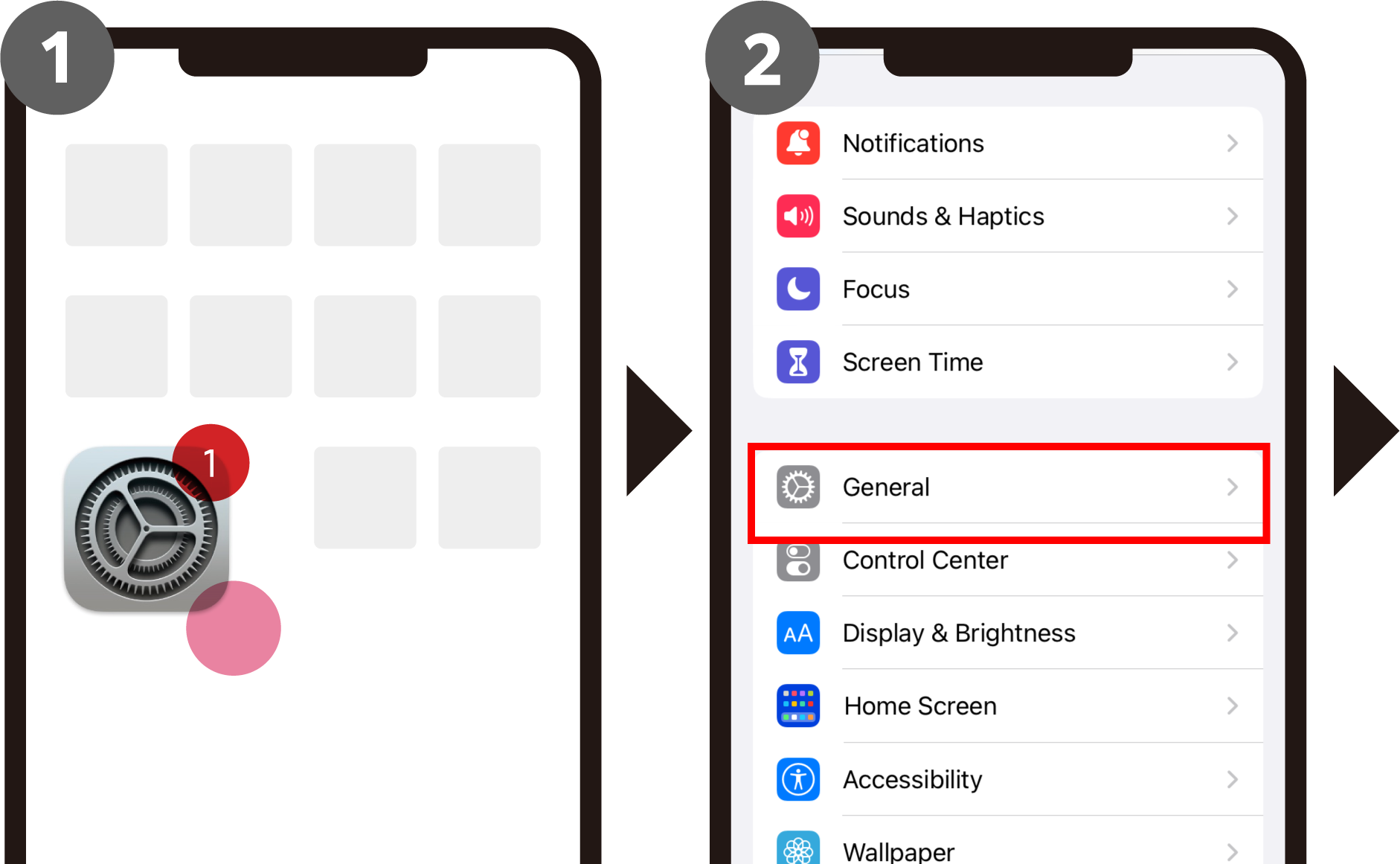
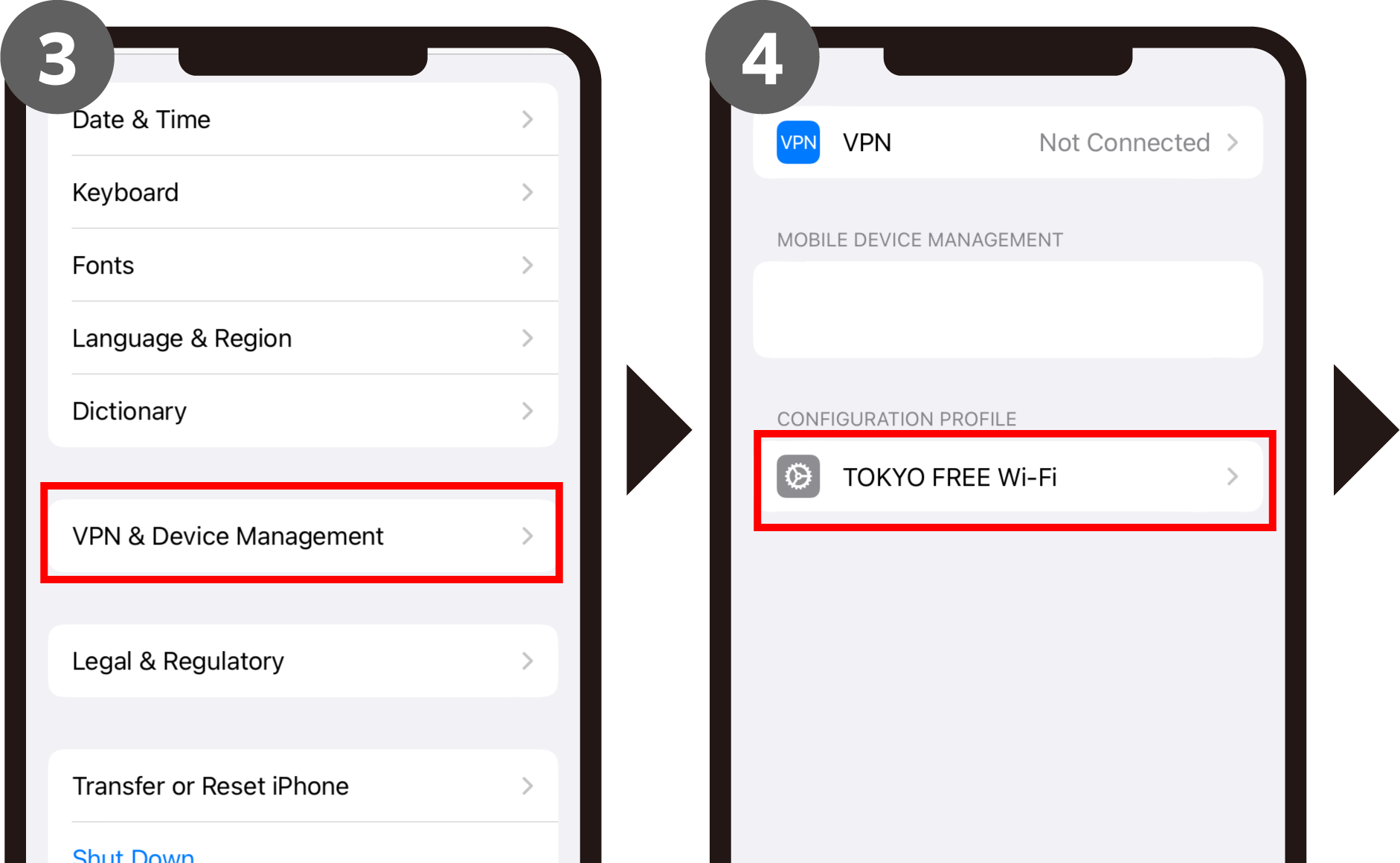
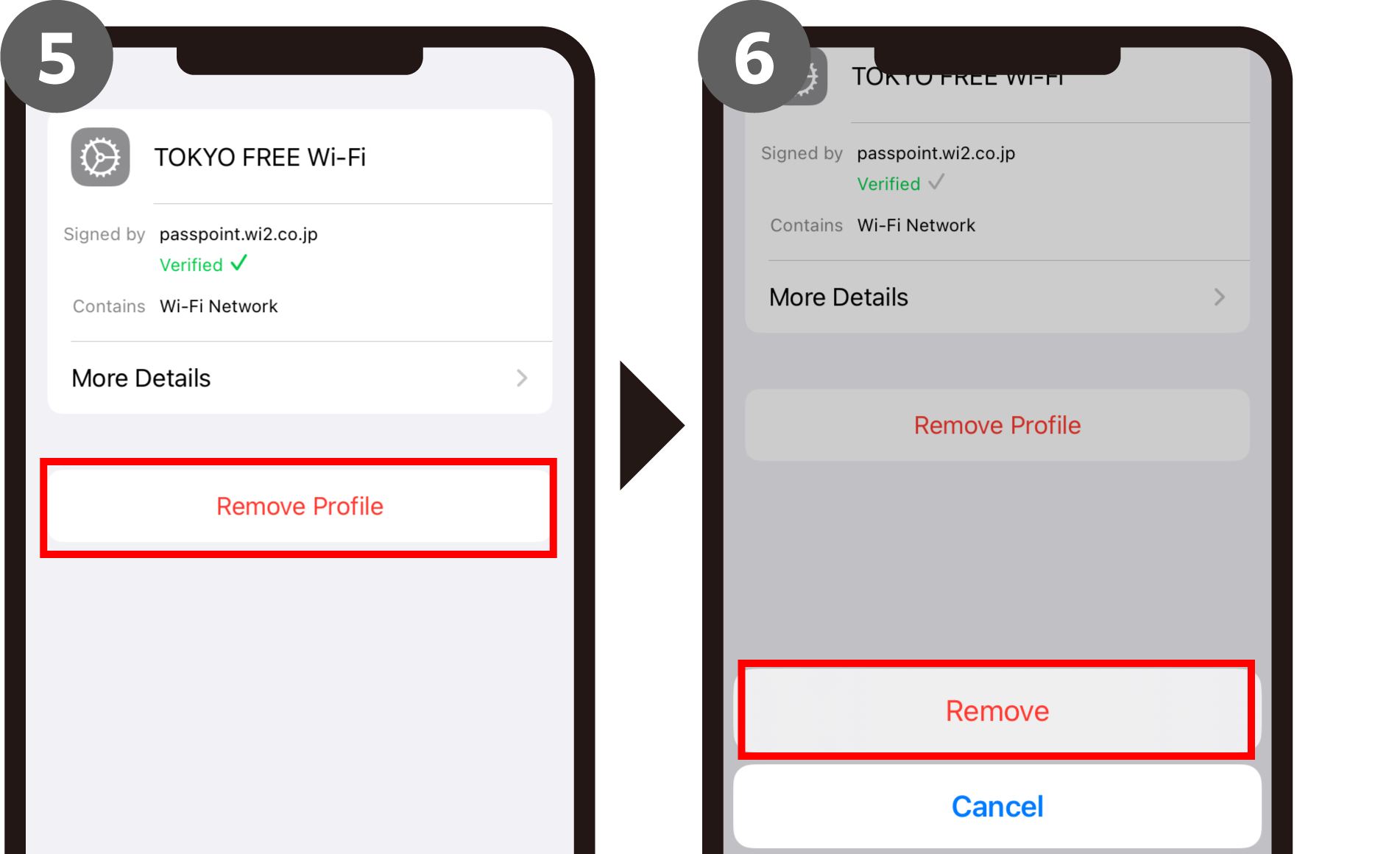
*If the passcode entry screen is displayed, enter the alphanumeric characters (passcode) that you enter when unlocking the device.
*The image is for iOS16
●Android
Go to Settings > Wi-Fi, and from Saved Networks, tap TOKYO FREE Wi-Fi and then Delete to exit.
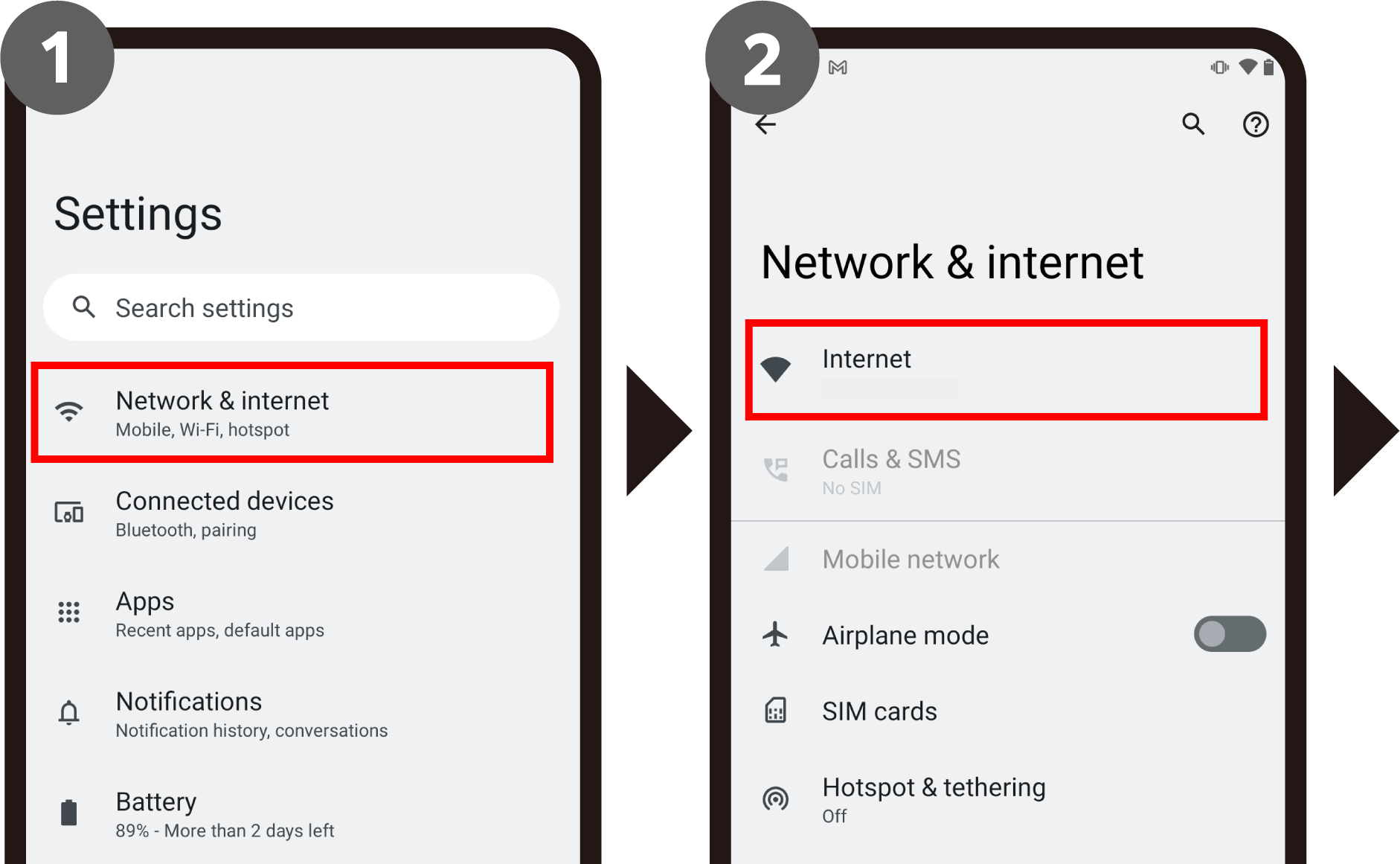
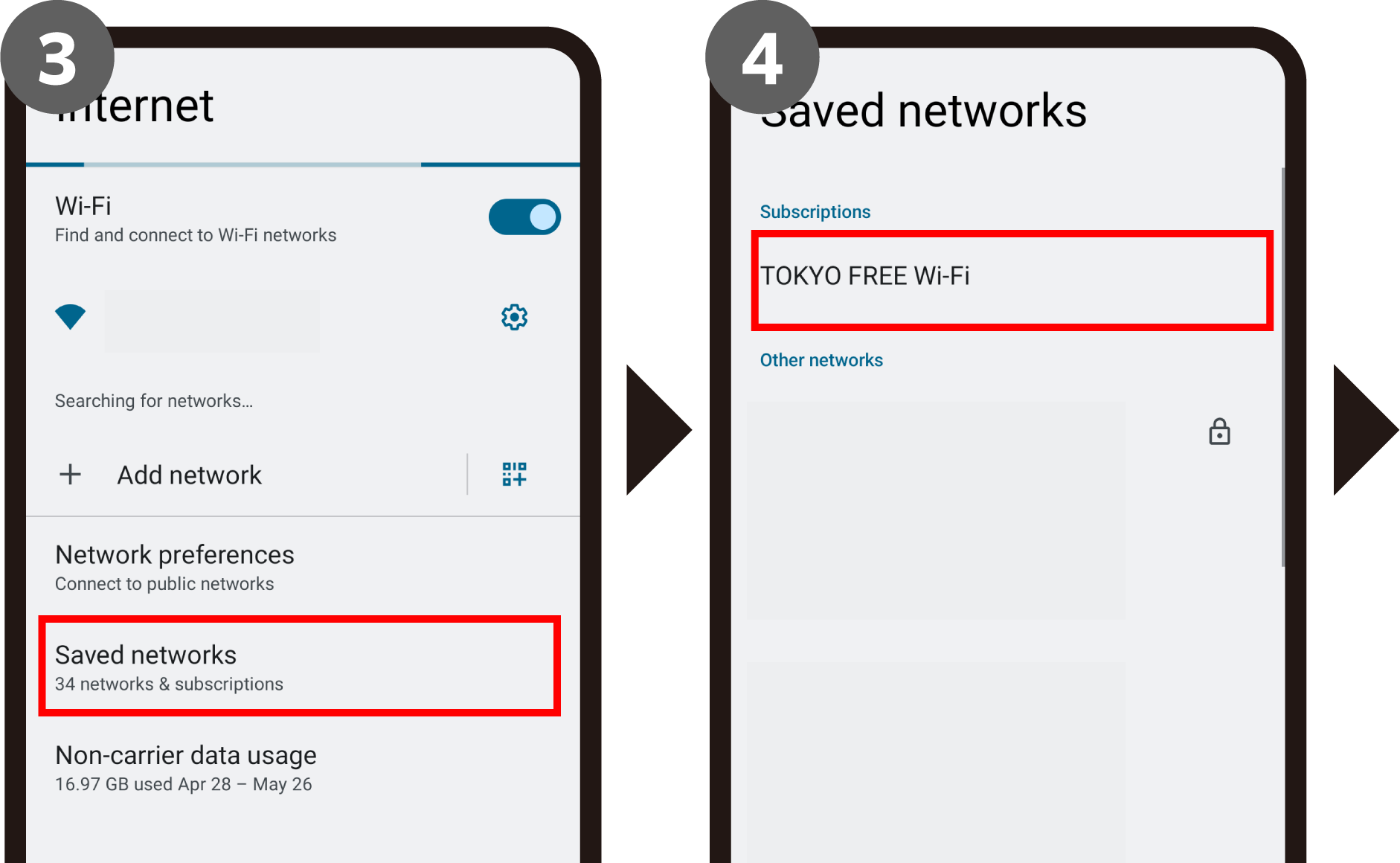
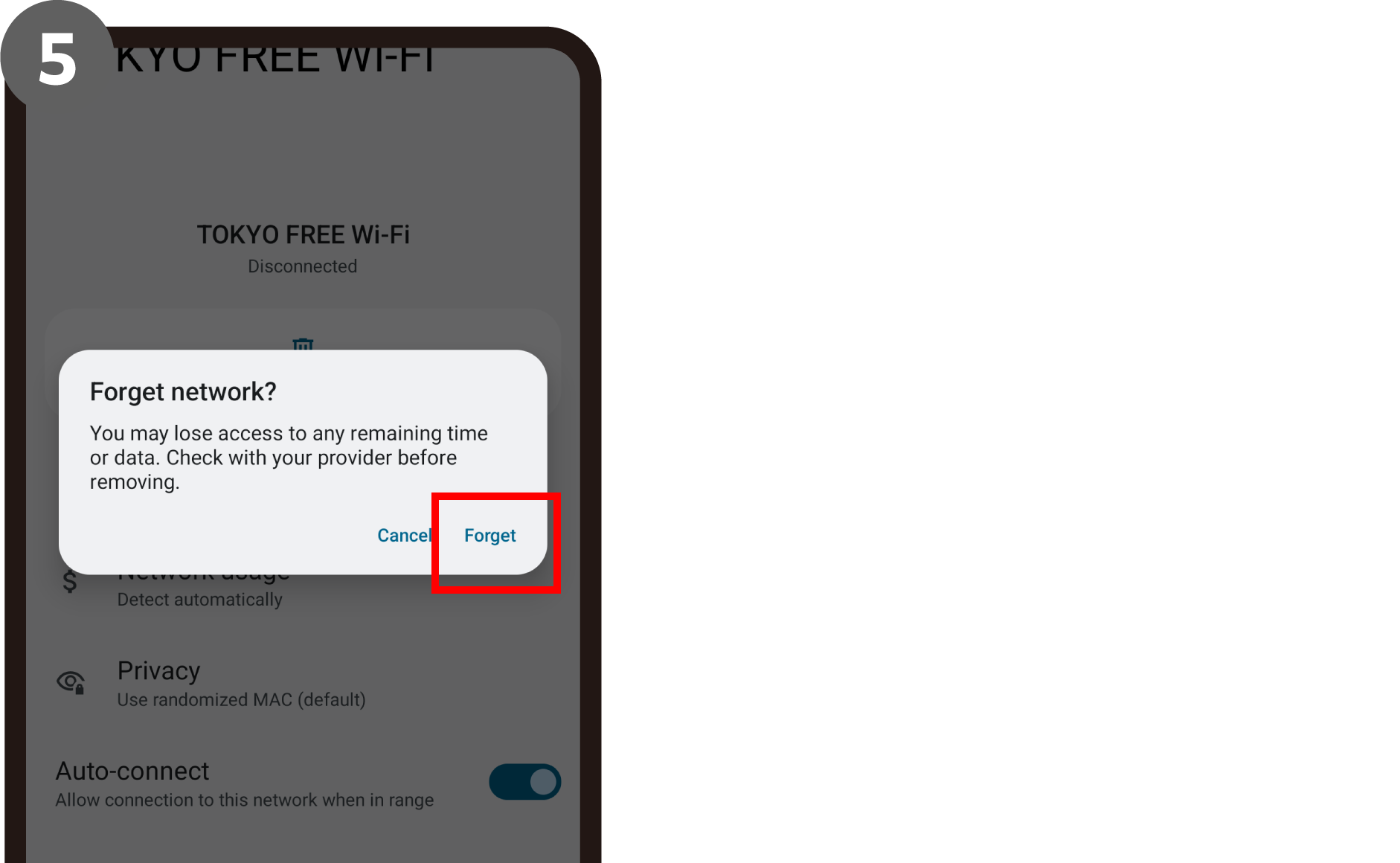
*The image is for Android 12
●Windows
Go to Start > Settings > Network & Internet > Wi-Fi > Manage known networks or Manage Wi-Fi settings > TOKYO FREE Wi-Fi, and click Remove to finish.
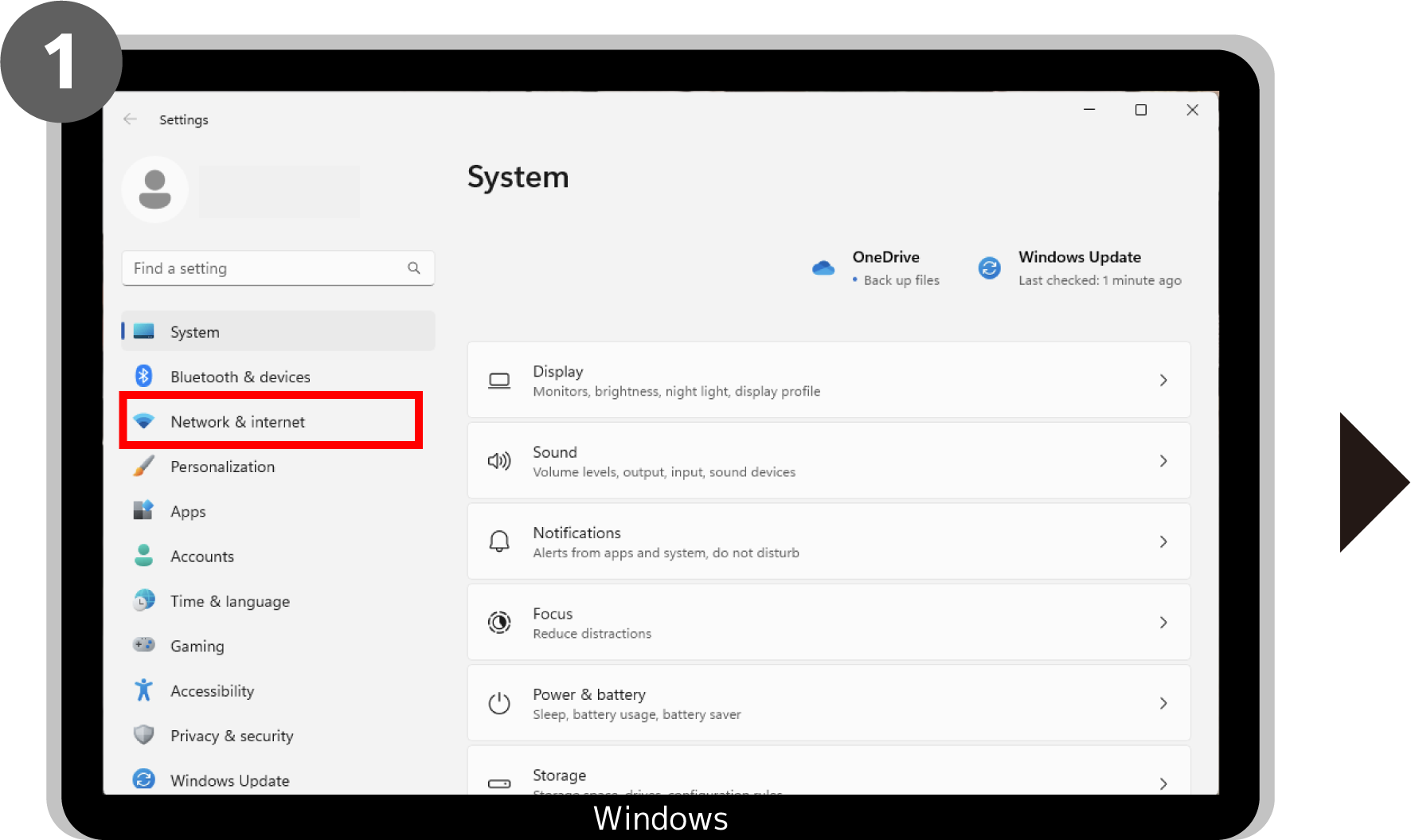
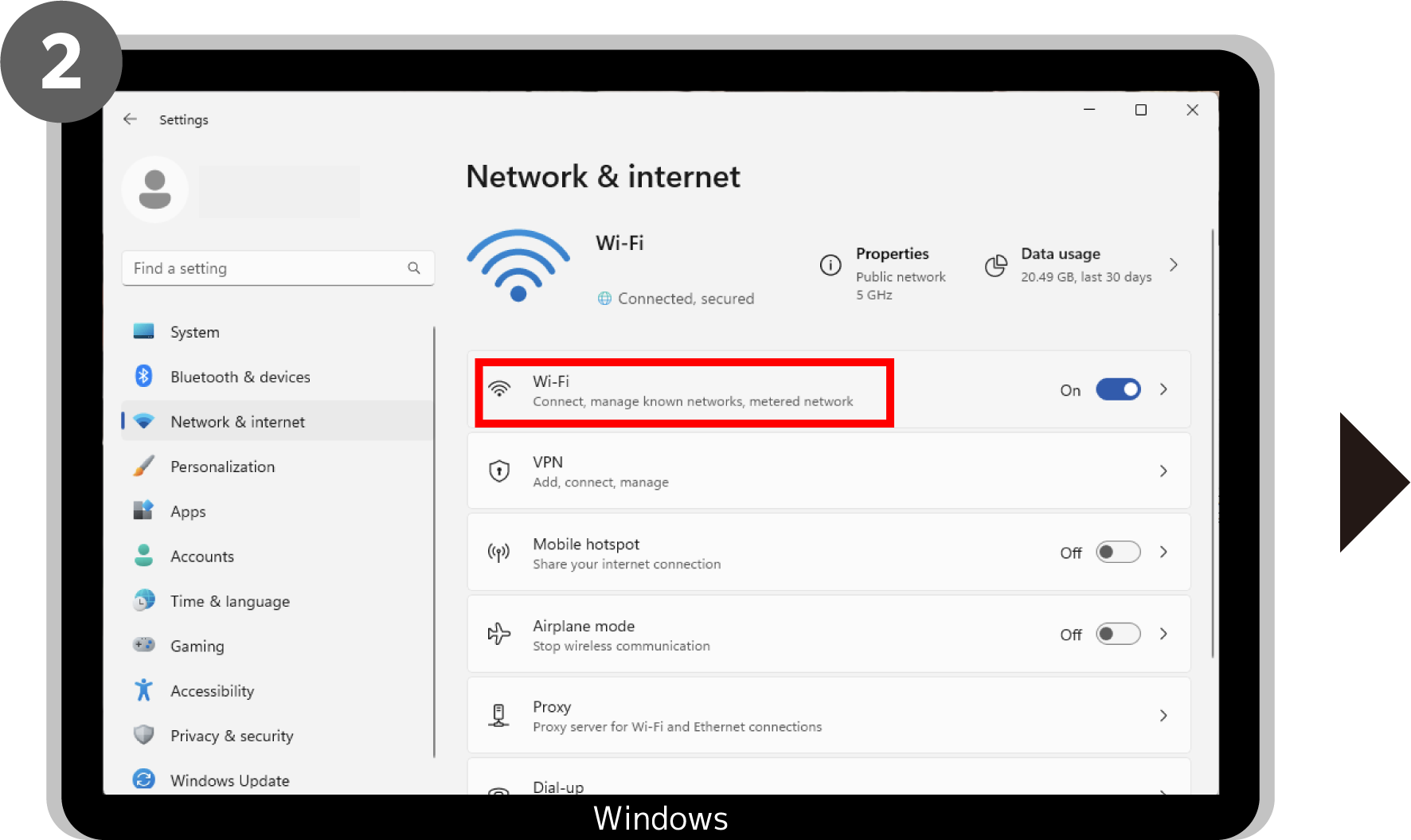
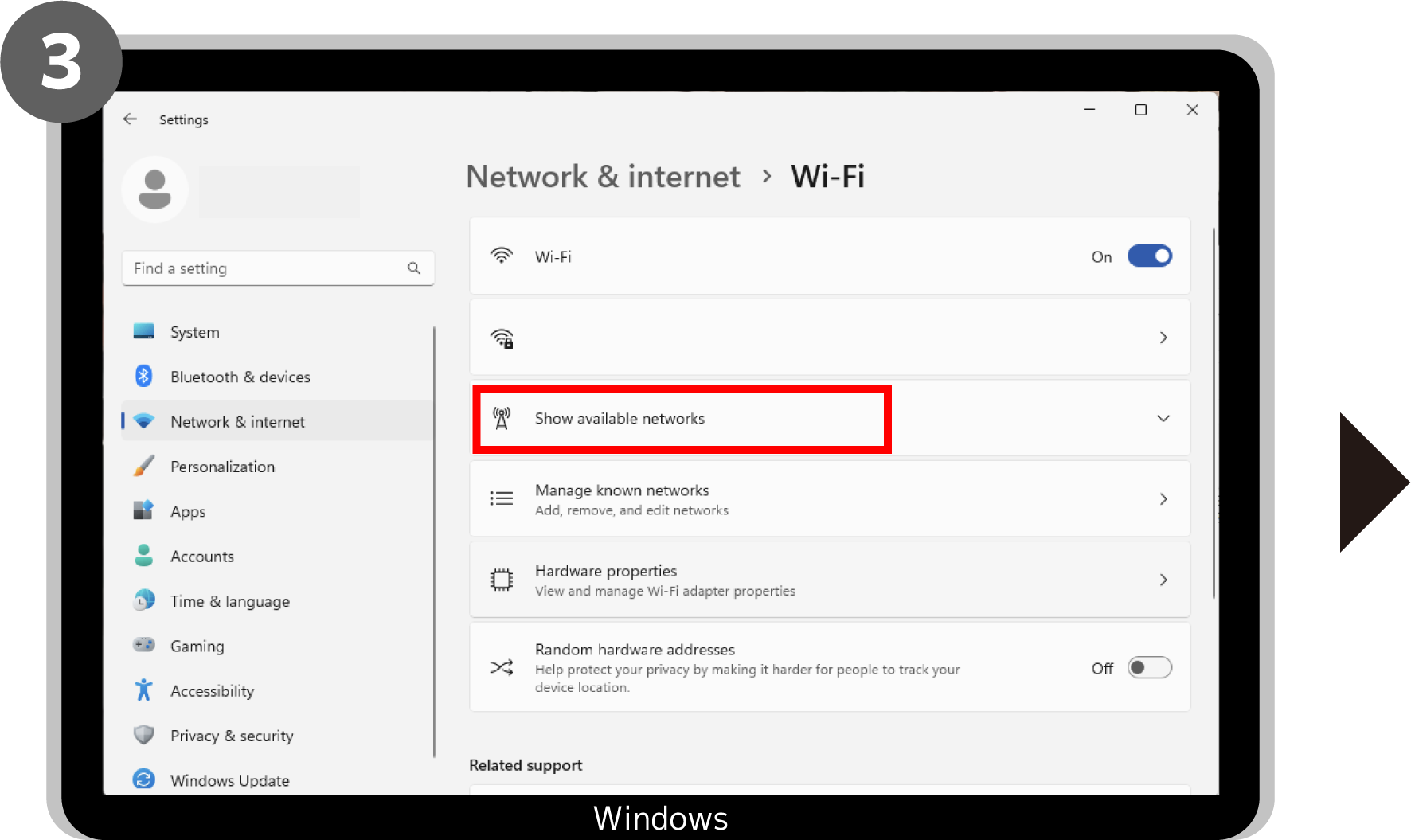
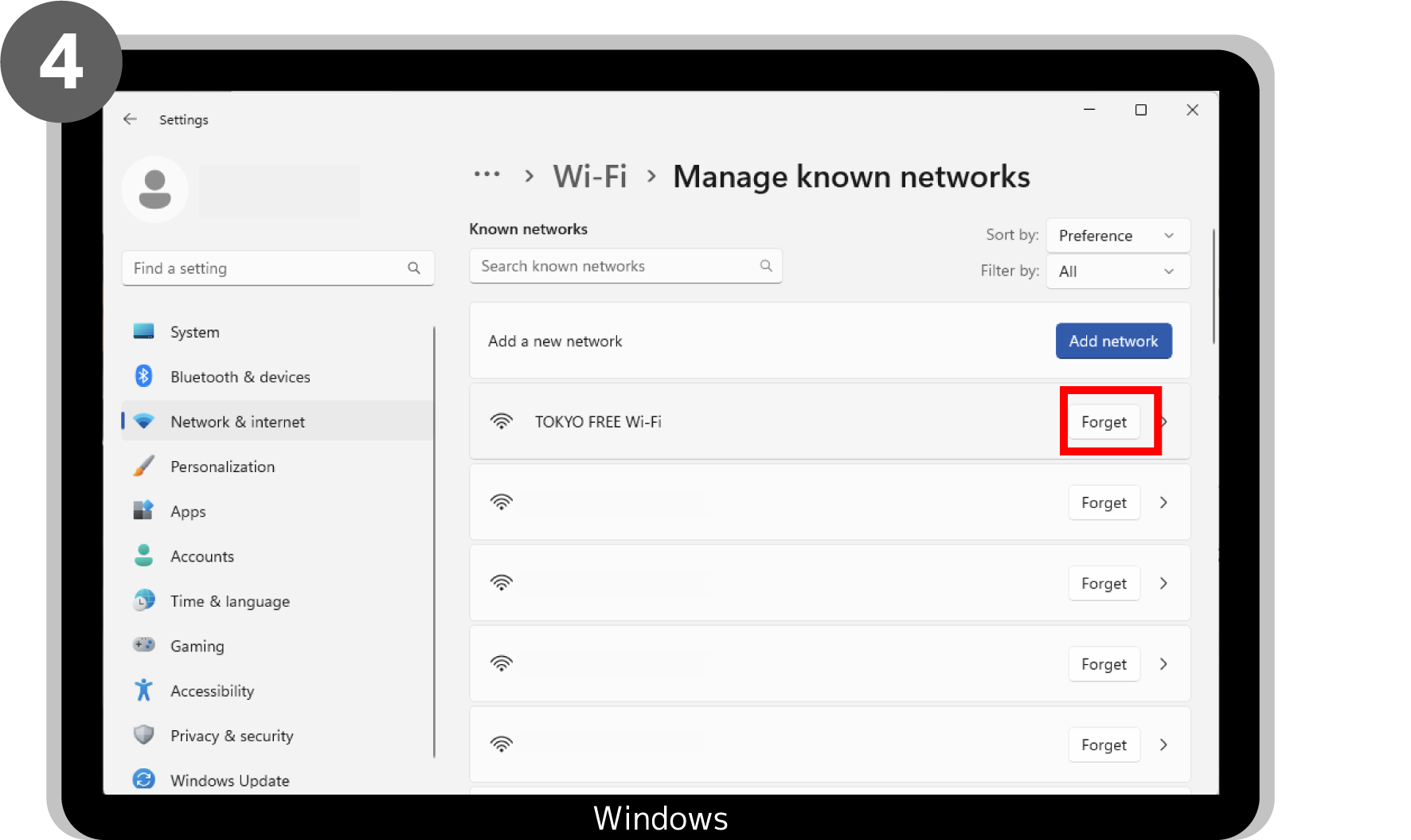
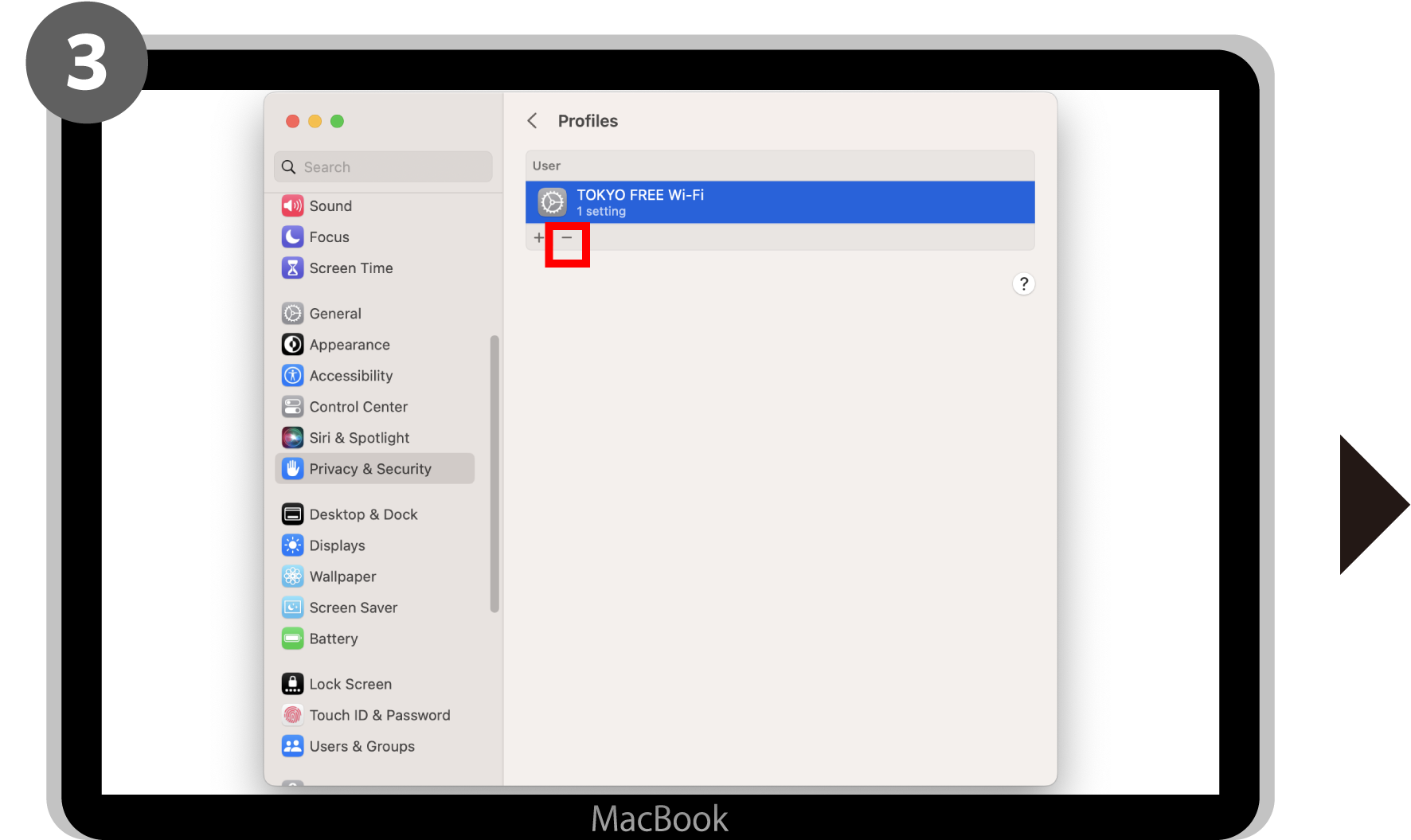
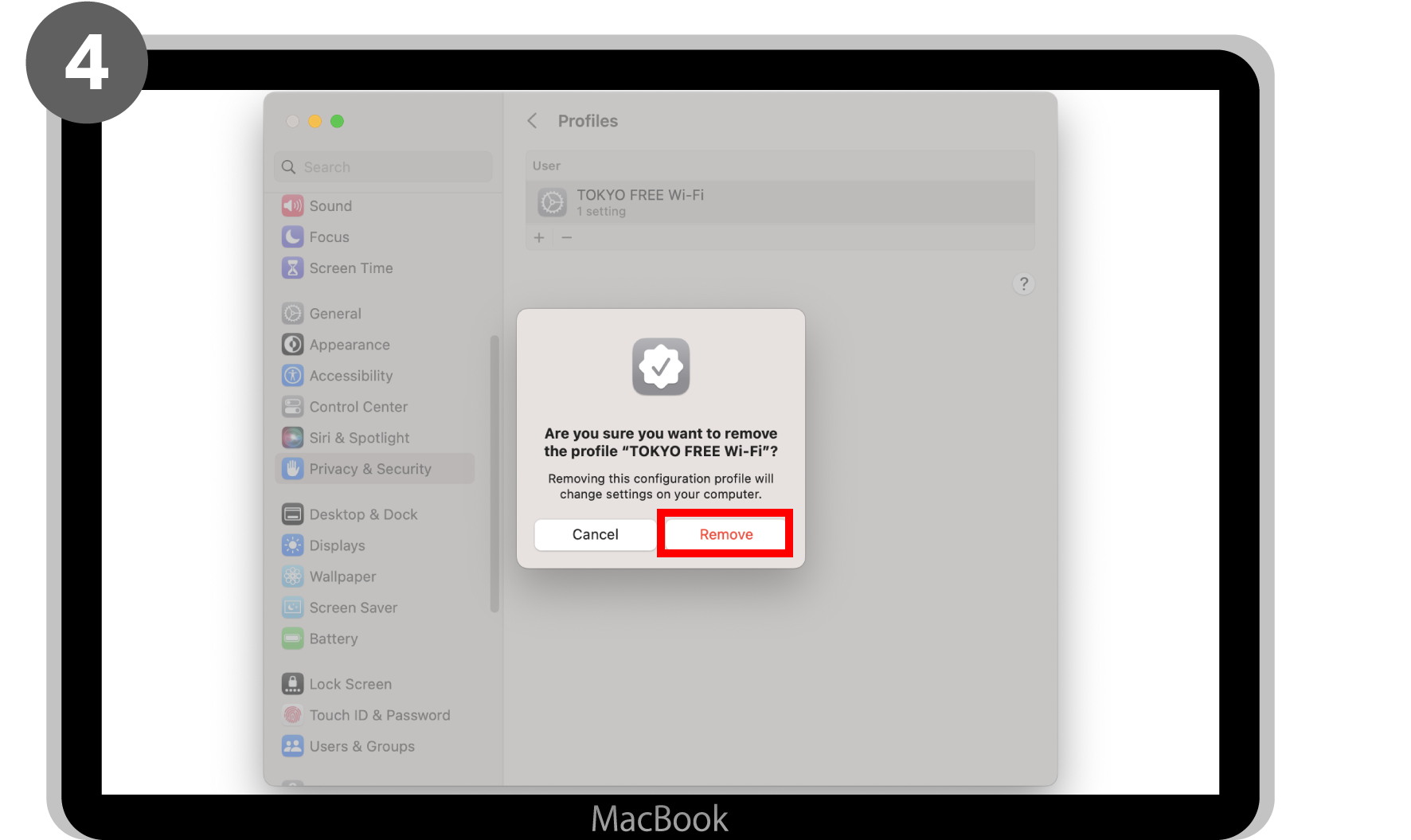
●macOS
Go to System Settings > Privacy and Security > Profiles, then click ""-"" beside TOKYO FREE Wi-Fi and click Delete to exit.
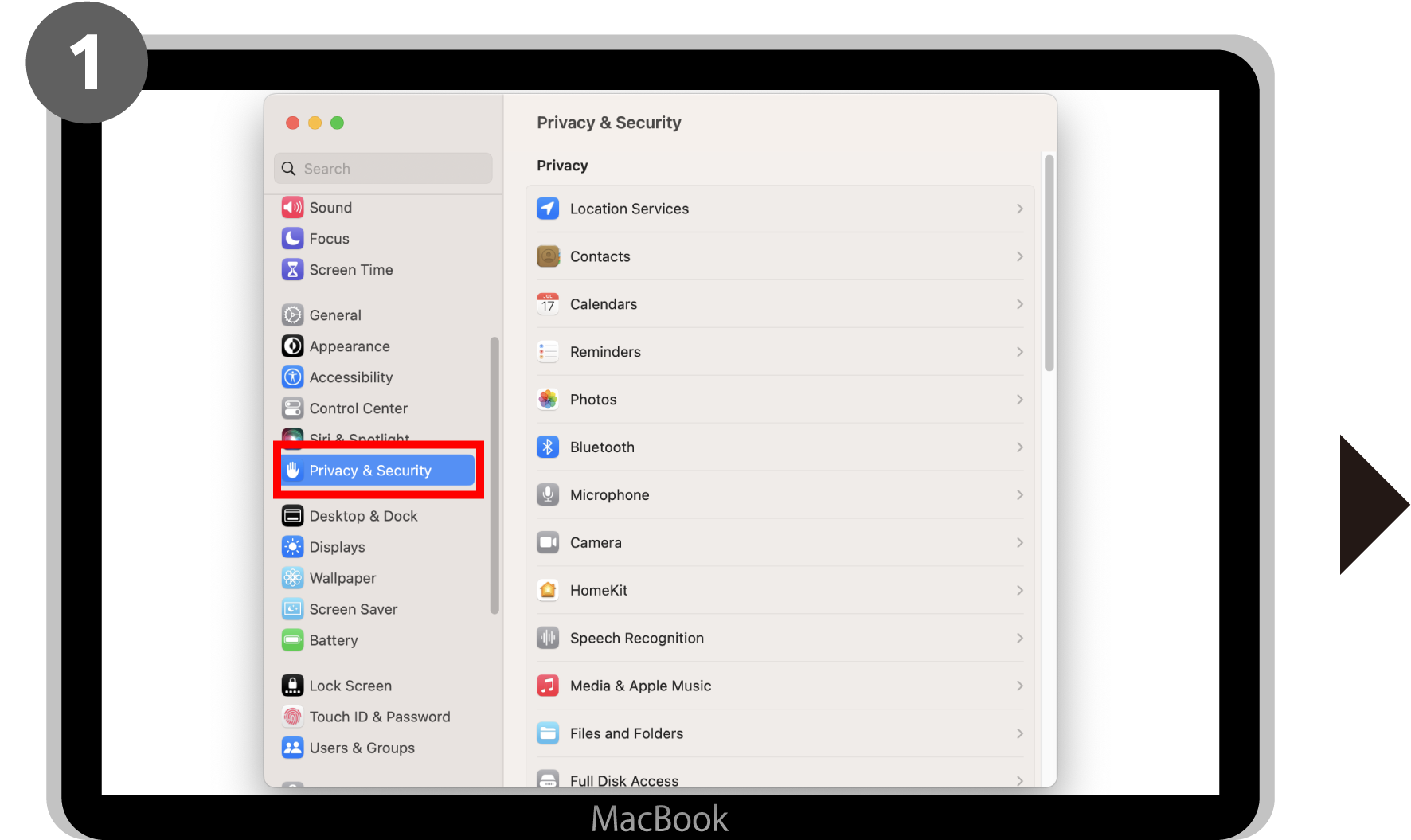
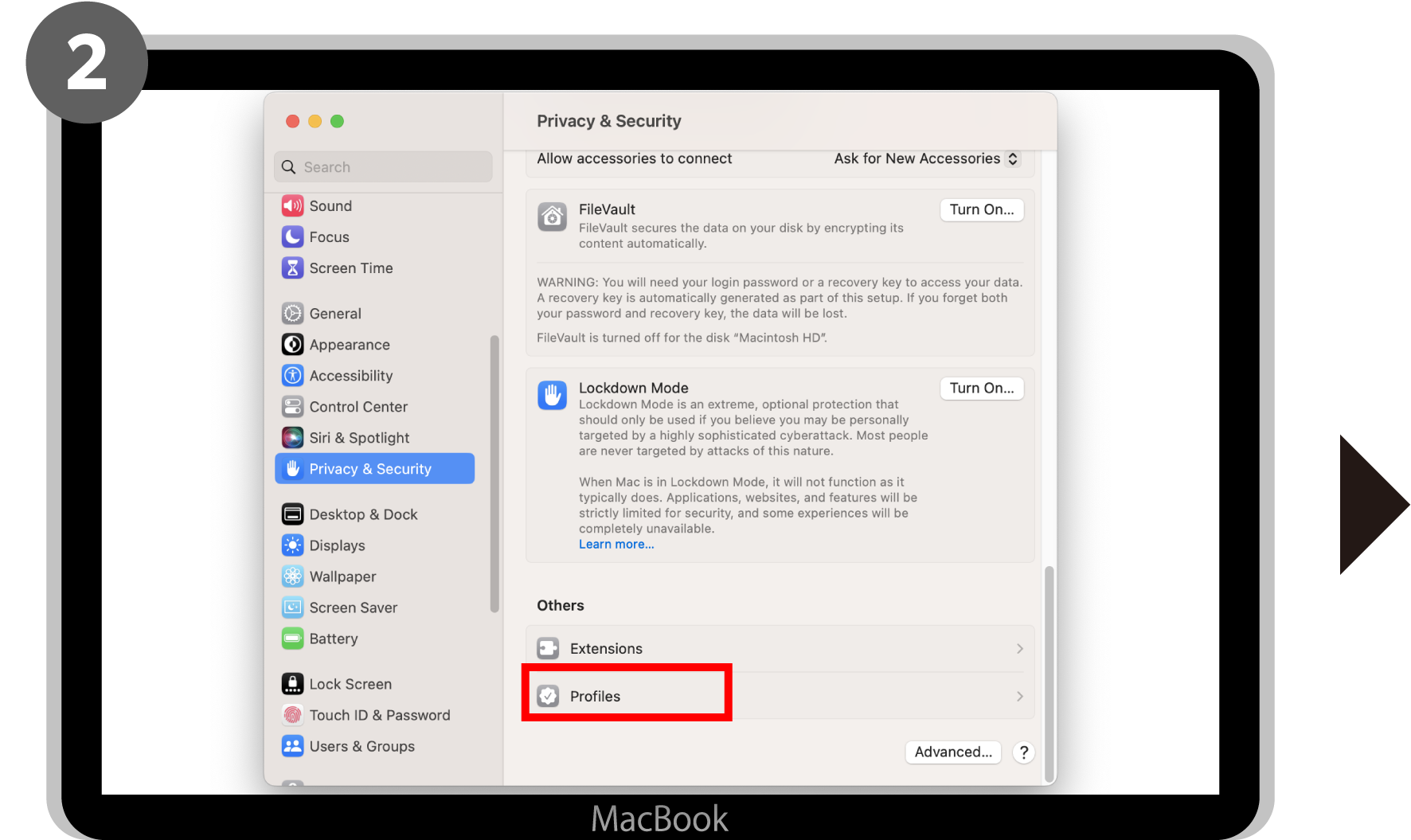
Q The signing certificate for a profile on my iPhone/iPad has expired. Is this ok?
The certificate in question is a profile signing certificate, so even if it expires, it will not affect the use of OpenRoaming.
You can continue to use it at OpenRoaming-compatible spots as before.
About the use of the internet
Q Are there any web sites that cannot be viewed or smartphone apps that cannot be used?
In ""TOKYO FREE Wi-Fi"", there is a filter function employed to protect youth from harmful internet material, so there are some web sites that cannot be viewed. Similarly, some smartphone apps used for communicating on the internet may be subject to filtering.
This service is for everyone, including children, and we want to make sure that everyone can use the internet safely, so we appreciate your understanding on this matter. In addition, please understand that it is not possible to cope with personal requests, such as deactivating the filter for individual people.
Q I'm afraid that my personal information and browsing information could be leaked by utilizing the Wi-Fi.
As mentioned in the Privacy Policy of this service, we manage all registered information carefully and in a manner to prevent the leaking of personal information as best as possible.Wi2 Privacy Policy
Q I am connected to SSID TOKYO FREE Wi-Fi, but I cannot connect to the Internet.
Even if your device detects the signal, connection may not work properly in cases where the signal is weak due to obstacles or other factors, or when the spot is congested because many users are connecting at the same time.
Please try to connect again after moving to a different location or at a different time. If you still cannot connect, please contact our Call Center.
Supported languages: Japanese, English
Phone:0120-839-440 (toll-free)
*There may be instances when you are unable to connect to the toll-free number when calling from a mobile phone using international roaming.
*Click here for online inquiries. The reply may take some time. https://service.wi2.ne.jp/wi2net/contact/?lang=en
Q A problem occurred during use. Who should I contact?
Please contact the call center for this service.
Supported languages: Japanese, English
Phone:0120-839-440 (toll-free)
*There may be instances when you are unable to connect to the toll-free number when calling from a mobile phone using international roaming.
*Click here for online inquiries. The reply may take some time. https://service.wi2.ne.jp/wi2net/contact/?lang=en
Q Can I use the same profile on multiple devices at the same time?
You can use it on multiple devices at the same time, but you need to set up a profile for each device you use.
Q If I then need to reconnect to "TOKYO FREE Wi-Fi" hotspot after leaving it once, do I need to do any settings?
Once registered, your device will automatically connect to TOKYO FREE Wi-Fi spots as well as OpenRoaming-compatible spots not only in Tokyo but also throughout Japan and internationally, allowing you to access the internet immediately.